Your cart is currently empty!


Businesses are embracing emerging AI features that offer surprising ways to boost growth, and new tools let teams streamline tasks while dealing with a bit of unpredictability sometimes, too. It brings practical benefits by making process automation and idea generation more accessible, and while its not always neat the results can be both efficient and inspiring for everyday operations.
Table Of Contents
- Overview of AI-Powered Code Assistants and Efficient Development
- Key Features and Functionalities
- Best Practices for AI-Driven Development
- External References and Resources
- Integrating AI Assistants with Business Intelligence
- Internal Linking for Additional Context
- Frequently Asked Questions (FAQs)
- Sources
Key Takeaways
- AI tools can really streamline everyday tasks and boost business growth.
- Smart coding assistants like GitHub Copilot make writing code easier and save time.
- Integrating AI into your workflow helps reduce repetitive tasks, letting teams focus on creative work.
- Embracing AI Automation alongside Business Intelligence gives companies real insights to make better decisions every day.
- It’s important to pick the right tools that fit your needs and try them out for best results.
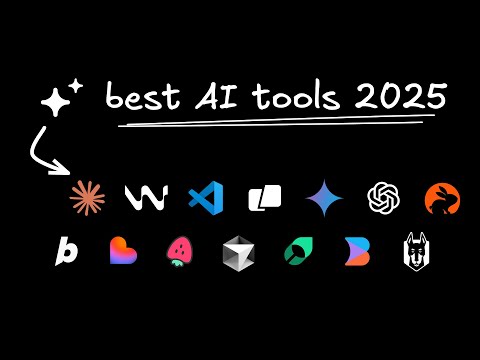
Overview of AI-Powered Code Assistants and Efficient Development
AI-powered code assistants are transforming the way developers approach coding and debugging. Tools like GitHub Copilot and Cursor have moved beyond simple autocompletion. They help with full code generation from natural language input and intelligent suggestions throughout the development process. In today’s fast-moving tech environment, where business intelligence and AI automation meet, these tools are particularly impactful. They enable developers to build better products faster and offer insights that extend beyond mere coding into analytics and business growth.
The Rise of Code Assistants
Code assistants have grown as a response to the challenges developers face daily. Today’s systems use machine learning models to understand code context, suggest functions, and even debug certain scenarios. For instance, GitHub Copilot uses vast amounts of code to predict the next lines of code a developer might need. Meanwhile, Cursor combines minimalist interfaces with targeted suggestions that help keep coding sessions productive. The overall effect is a smoother transition from idea to finished product, which is critical for businesses needing robust and intelligent automation.
How Natural Language is Changing Code Development
A significant benefit of AI in coding is the shift from conventional code writing to discussing problems in plain language. Developers now describe their goals in simple sentences. The AI then translates these descriptions into code, which saves time and reduces errors. With natural language processing at its core, these assistants break down any barriers between novice and expert coders—making tips, tutorials, and even entire workflows more accessible.
Step-by-Step Guide: Using AI Assistants for Efficient Code Development
To get started with an AI code assistant, follow these steps:
- Identify the problem area that can benefit from code automation (e.g., setting up a new framework).
- Describe your intended functionality in plain language.
- Input the description into your chosen AI assistant.
- Review the generated code carefully to integrate it within your project.
- Test and iterate to ensure that the code matches your specifications.
These step-by-step approaches allow for blending conventional development techniques with AI-powered suggestions, leading to faster and cleaner coding sessions.
Key Features and Functionalities
Modern code assistants come with features designed to streamline the entire software development lifecycle. Aside from code generation, they offer documentation lookup, interactive tutorials, and even debugging support. The evolution of advanced editors like ChatGPT for framework support has redefined the traditional coding environment.
Intelligent Code Suggestions and Autocompletion
AI-powered suggestions now go much deeper than simply finishing a line of code. They can:
- Offer whole block completions based on the overall context.
- Suggest alternative implementations when a bug arises.
- Summarize documentation for libraries and APIs.
- Integrate with version control systems to help track changes and resolve merge conflicts.
These code suggestions support developers in writing more efficient, error-free code, thus making team collaboration smoother and projects more maintainable over time.
Evolving Interfaces and Interactive Tutorials
The development environment itself has seen a significant transformation. Modern editors blend interactive learning with coding, similar to how ChatGPT can be used to answer coding queries in real time. This combination of interactive tutorials and on-the-fly code modifications helps developers learn new frameworks and libraries quickly. Tools are designed to support exploration of multiple coding approaches and encourage experimentation without breaking the codebase.
Documentation and Integrated Help
A critical function of any strong coding assistant is its capacity to provide relevant, in-depth documentation. Many of these tools integrate seamlessly with online documentation databases like IEEE Xplore, which hosts engineering standards and detailed tutorials. Furthermore, tutorials and guided examples encourage developers to understand concepts on both basic and advanced levels. A few of the features include:
- Quick reference guides within the editor.
- Embedded tutorials that trigger based on code context.
- Step-by-step walk-throughs for complex integrations.
- Links to external resources for further reading.
This detailed integration makes switching between coding and learning a much more natural process, reducing the need to move to separate platforms during development.
Comparative Table: GitHub Copilot vs Cursor
Below is a simplified comparative table showcasing some of the distinct features of GitHub Copilot and Cursor:
| Feature | GitHub Copilot | Cursor |
|---|---|---|
| Natural Language Input | Yes | Yes |
| Integrated Documentation | Integrated within platform | Minimal, relies on linking external sources |
| Interface Style | Rich and detailed | Clean, minimalist interface |
| Code Debugging Assistance | Suggests potential fixes based on context | Basic syntax error detection, focuses on speed |
| Suitability for Beginners | Provides comprehensive tutorials | Best for quick, efficient coding; less tutorial-rich |
| Business Intelligence Focus | More oriented towards general coding solutions | Simplified tools with rapid implementations |
This table reveals that while both platforms help with coding tasks, they cater to different developer needs. GitHub Copilot might be more suited for those who need extensive documentation and learning support, whereas Cursor offers a streamlined environment for quick coding.
Best Practices for AI-Driven Development
Adopting AI-powered tools into your workflow demands not only familiarity with emerging technology but also strategic planning. Integrating AI into development practices should be done thoughtfully to maximize efficiency, minimize bugs, and maintain code quality.
Strategic Integration of AI Tools
When incorporating AI into the development process, it is critical to do so in incremental steps rather than overhauling everything at once. To ensure a smooth integration, consider these pointers:
- Start with less critical sections of your codebase to test AI suggestions.
- Use AI tools for repetitive tasks like code formatting, boilerplate generation, and template integration.
- Gradually expand usage as team members become comfortable with the assistant.
- Set up feedback loops where the AI-generated code undergoes rigorous testing and peer review.
This careful integration allows firms using RhumbaAI’s approach—where business intelligence meets automation—to gradually increase productivity without compromising on code quality.
Robust Debugging Techniques
Actively relying on AI does not replace the need for solid debugging strategies. Instead, it should complement and accelerate the debugging process. Here are some practical steps you can take:
- Always run automated tests before and after implementing AI-suggested code.
- Ensure that any generated code is thoroughly integrated with your version control system.
- Use debug logs in combination with AI diagnostics to identify where the code might be faltering.
- Schedule regular code reviews that blend traditional methods with AI insights to catch potential issues early.
A combination of automated and manual debugging can help catch edge cases that AI might miss, ensuring improved code reliability.
Code Review Techniques: Blending Vibe Coding and AI Insights
Integrating AI into the code review process can enhance oversight. While AI can point out inconsistencies or potential errors, human intuition remains key for catching nuances. Here are some methods to create an effective code review process:
- Use AI tools to mark sections of the code that significantly deviate from project standards.
- Hold frequent code review meetings where AI insights are discussed and compared with team feedback.
- Develop a checklist that encompasses both AI recommendations and traditional best practices.
- Encourage team discussions on the AI suggestions to understand their context better and improve overall coding standards.
By using both vibe coding—a more intuitive, less structured method—and AI insights, you can create a balanced review system that harnesses the power of modern technologies while keeping human judgment in the loop.
Step-by-Step Best Practices for AI-Driven Debugging
Implementing AI into your debugging process can be straightforward if the practices are clearly defined:
- Identify recurring error patterns in your codebase.
- Train your team to use the AI assistant’s debugging features actively.
- Integrate debugging processes into the continuous integration/continuous deployment (CI/CD) pipeline.
- Regularly update your AI tools to benefit from the latest enhancements.
- Document every instance of AI-suggested corrections for future reference and learning.
These steps allow developers to blend traditional debugging techniques with modern AI capabilities, streamlining the process and fostering collaboration between team members.
External References and Resources
Leveraging external resources is crucial for keeping pace with new developments in coding and AI-driven tools. Below are some valuable references that offer a wealth of information:
- GitHub Copilot provides detailed insights and case studies on how AI is revolutionizing code suggestions.
- The interactive support provided through ChatGPT serves as a continuous learning tool that assists with documentation, explanations, and troubleshooting.
- IEEE Xplore is a great source for engineering standards, detailed technical tutorials, and research papers, helping developers align with industry standards.
- Cursor offers streamlined coding environments focused on productivity, and online community discussions reveal practical tips from top developers.
Using External Resources Effectively
Here are some steps to integrate these external references:
- Bookmark and regularly check GitHub Copilot for updates on new features.
- Subscribe or follow industry pages on IEEE Xplore to receive notifications about breakthroughs in engineering standards.
- Engage with community threads on platforms like GitHub Discussions, where developers often share tips on use cases and improvements.
- Experiment with ChatGPT’s functionality to refine your approach to troubleshooting and code documentation.
- Regularly test out new suggestions and compare them with the guidance provided by Cursor to understand which approach best fits your development style.
Comparative Table: External Resources and Their Benefits
Below is a comparative table outlining the benefits of key external resources:
| Resource | Primary Benefit | Ideal For |
|---|---|---|
| GitHub Copilot | Code suggestions and automation | Developers looking for robust code integration |
| ChatGPT | Interactive documentation and troubleshooting | Quick, on-the-fly coding support |
| IEEE Xplore | In-depth technical tutorials and engineering standards | Developers needing rigorous standards |
| Cursor | Minimalist, streamlined coding interface | Fast, productivity-focused coding sessions |
This table highlights how each resource can serve different roles in a comprehensive AI-driven development strategy.
Practical Templates and Tools
Developers benefit from practical, ready-made templates that guide code structure and AI integration practices. Consider the following useful items:
- A code review checklist template that includes sections for AI-generated code, manual fixes, and debugging logs.
- A debugging guide template outlining the steps for collecting error logs, running unit tests, and integrating AI suggestions.
- Tutorials and quick start guides available on sites like GitHub Copilot that showcase sample projects, step-by-step integration, and best practice scenarios.
These templates help standardize practices across teams and ensure that AI-powered development meets business intelligence goals efficiently.
Integrating AI Assistants with Business Intelligence
The integration of AI into coding is not just a technical convenience but also a strategic move for businesses focused on growth. RhumbaAI’s approach highlights how automation can drive business intelligence. By automating repetitive tasks and generating insights from code patterns, companies can make better business decisions with less manual overhead.
Aligning Code Automation with Business Goals
To effectively integrate AI in a way that benefits business intelligence, consider the following strategies:
- Map out critical business functions that rely heavily on technology development.
- Adopt AI assistants for tasks that intersect with business analytics and data processing.
- Use AI-generated insights to adjust project timelines, resource allocation, and overall project feasibility.
- Regularly review the AI’s outputs in the context of business KPIs to ensure that coding and development efforts align with strategic goals.
These strategies help in linking the operational aspects of coding with broader business objectives, ensuring that every line of AI-assisted code can contribute to smarter business decisions.
Bridging the Gap Between Coding and Data Insights
A key challenge for many businesses is bridging the gap between code automation and actionable business intelligence. AI tools can help bridge this gap by generating reports, summaries, and even dashboards that reveal underlying data trends within the code. Steps to achieve this include:
- Setting up an AI-driven dashboard that aggregates code performance metrics.
- Implementing automated reports that compare pre- and post-integration performance.
- Using additional AI modules that analyze code patterns against business performance indicators.
- Continually refining these modules based on feedback from both technical and business teams.
This iterative approach ensures that as coding practices evolve, the underlying business insights remain relevant and useful for decision-making.
Incorporating AI in Continuous Learning and Improvement
Continuous improvement is at the heart of both AI-driven development and business intelligence. Here are some practical points to consider:
- Establish a feedback loop where developers and business analysts review AI-generated insights together.
- Invest in training sessions that cover both the technical uses of AI tools and their impact on business metrics.
- Use case studies from platforms like GitHub Copilot and real-world examples from industry conferences to build internal knowledge.
- Encourage cross-departmental projects that tackle both coding challenges and business intelligence opportunities, thereby fostering a culture of continuous learning.
These practices ensure that AI becomes a tool for both better coding and smarter business decisions, aligning the technical and business sides of an organization.
Internal Linking for Additional Context
For further exploration of integrating business intelligence with AI-driven coding, consider checking out our related articles on the impact of modern coding tools on business efficiency and strategies for enhancing team collaboration through tech innovation. These insights provide additional context and practical advice on blending traditional methods with AI advancements.
- Impact of Modern Coding Tools on Business Efficiency
- Enhancing Team Collaboration with Tech Innovation
By seamlessly joining the insights from these resources with your current practices, you can form a more holistic approach to development that not only speeds up the coding process but also boosts overall business performance.
Overall, the landscape of AI-driven development is rich with tools and resources that encourage both rapid code development and improved business intelligence. Whether you’re using GitHub Copilot for natural language coding or leveraging Cursor for a minimalist coding experience, the combined practices outlined above help create an environment where code quality and business goals are advanced side by side.
Conclusion
We’ve seen how AI is transforming business growth by streamlining processes and boosting productivity. Key insights include using intuitive tools, leveraging intelligent code suggestions, and keeping strategies clear and simple. Our discussion shows that small, practical changes can make a big difference. With RhumbaAI’s expertise in AI Automation and Business Intelligence, you can take actionable steps to drive success and unlock growth.
Frequently Asked Questions (FAQs)
What are the latest and greatest AI features for business growth?
These AI features are about turning everyday tasks into automated processes, making business tasks smoother and more efficient. They include enhanced code assistants, data analysis tools, and platforms that integrate AI into existing workflows. The focus is on helping businesses grow faster by cutting down manual work and boosting creativity.
How can these new AI features boost productivity?
By using smart suggestions and simplified data processing, these tools let teams focus on strategy rather than getting bogged down in details. For example, AI can help spot trends early or automate repetitive tasks, which means more time for creative work and decision making.
How does your expertise in AI Automation meet Business Intelligence add value?
Our approach combines AI Automation and Business Intelligence, offering practical tools that streamline operations and deliver clear insights. This helps businesses make data-based decisions while keeping processes efficient, blending the best of both worlds in a way that’s easy to use and understand.
How do I integrate these AI features into my current workflow?
You start by looking at the processes that take up most of your time and then select the AI tool that fits the gap. Some platforms come with a setup guide, while others like GitHub Copilot provide tutorials and community support. A bit of trial and error can work wonders!
What role do these AI-driven features play in shaping current business trends?
These tools are more than tech upgrades – they’re key parts of a modern business strategy. They help spot patterns, reduce cost, and even enhance customer experiences, all of which are vital for staying competitive in today’s fast-paced environment.
Sources
Search
Archive
Recent Posts
- Business Intelligence Software Solutions – How AI Can Boost Your Business Growth

- How to Use AI Automation Tools for Small Business Growth – A Simple Guide

- AI-Powered Business Intelligence Systems – How They Drive Growth in 2025
- 5 Easy Ways to Automate Business Decisions with AI – Your 2025 Guide
- Business Process Automation Using AI – 5 Ways to Boost Growth

Gallery